If you're like me, sometimes you need to enter a character that's not on your keyboard. Here's how to enter ascii characters in the Windows PC.
- put your keyboard in number pad mode
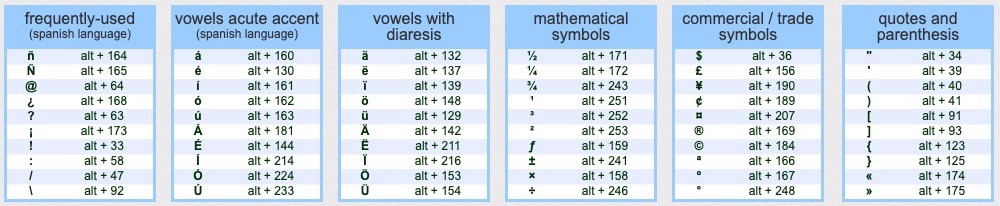
- then hold down Alt key and type the ascii code, e.g., 194 = '┬'
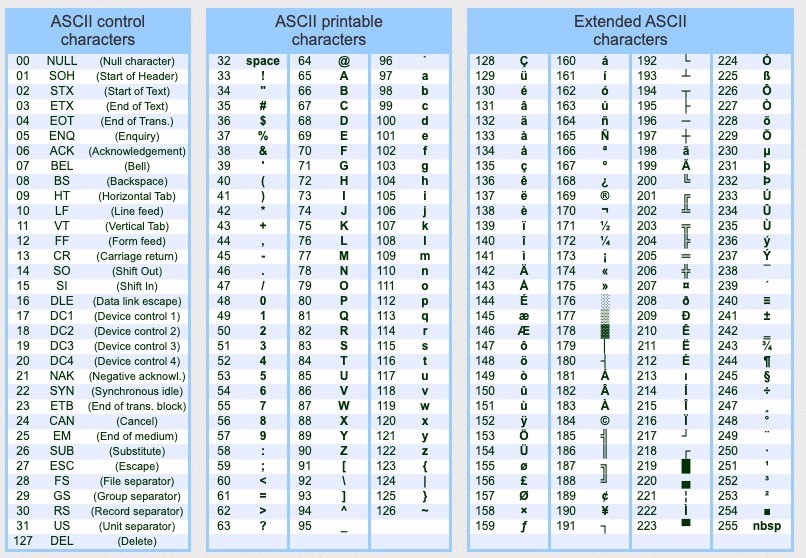
Here is an extended ascii table where you can see 256 characters you can enter this way:
The Extended ASCII Chart