Keep&Share is a robust and flexible appointment scheduling app built to save time and keep you organized.


Our shareable group calendars make office communication
simple & secure. Plus it's easy to share with anyone!
Our shareable group calendars make office communication simple & secure.
Plus it's easy to share with anyone!
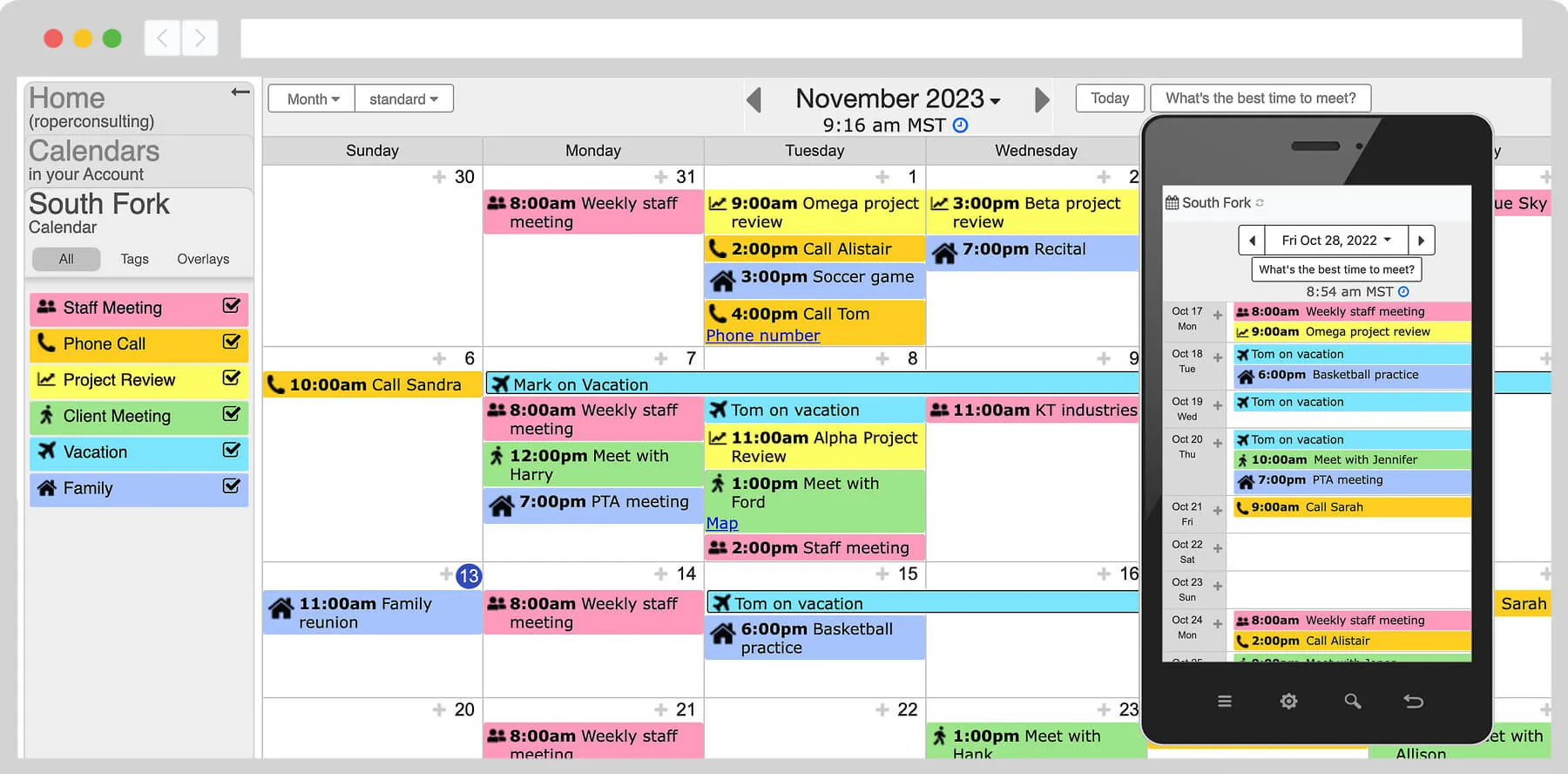
Our Team plans make group scheduling & collaboration easy, whether that team is 1 entrepreneur & an assistant, 15 art instructors, or 300 engineers scheduling repairs.
With Keep&Share calendars you can add images, colors, event tags, detailed notes, maps, notifications, attach files, to do lists, links, and more.
More calendar featuresYou can share anything in your account with anyone on any device, whether they're part of your team or not. This makes it easy to coordinate with clients, contractors, and anyone else you need for your business.
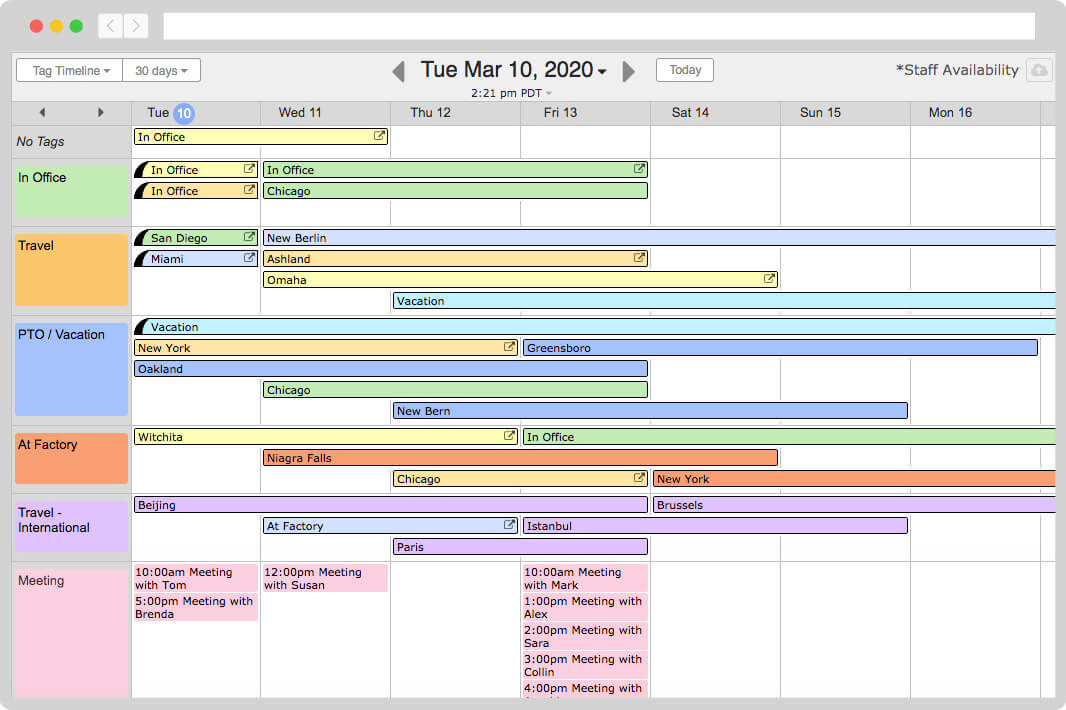
Use custom colors and event tags to group events by team member, location, job, and more. Office managers can even use event tags to filter calendars for only the events that you, your field crews, or office staff want to see.
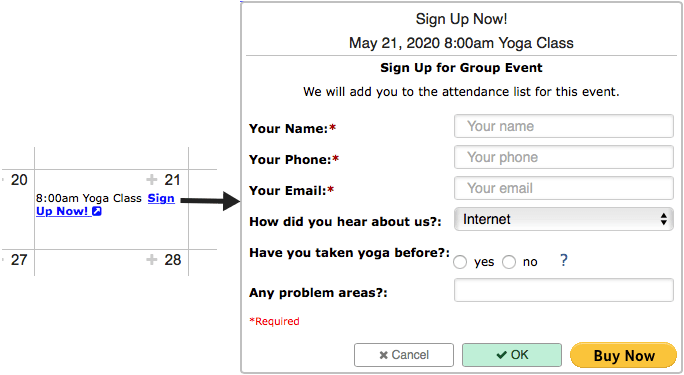
Self-Book visitors see available events on your calendar, & fill out a custom form to make a reservation. Send automated reminders, acceptance, rescheduling, and cancellation notifications to your customers.
Never miss another deadline — set up automated email and text reminders for any event or task on your calendar. You can send reminders to yourself and anyone on your team.
You and your team can be alerted automatically of any changes made to appointments, events, or assignments in your calendar.
Create recurring events that last multiple days and can repeat every day, week, month, or year - or even on advanced schedules like the first Friday of the month.
Keep&Share is a great fit for all kinds of groups and small businesses. Some of our top users include:
...and many more! Consultations help our customers get the most value out of their accounts, whether that means assisting with first-time setup, data migration, complex scheduling, customizations, or whatever else you need to get your account working perfectly for you!
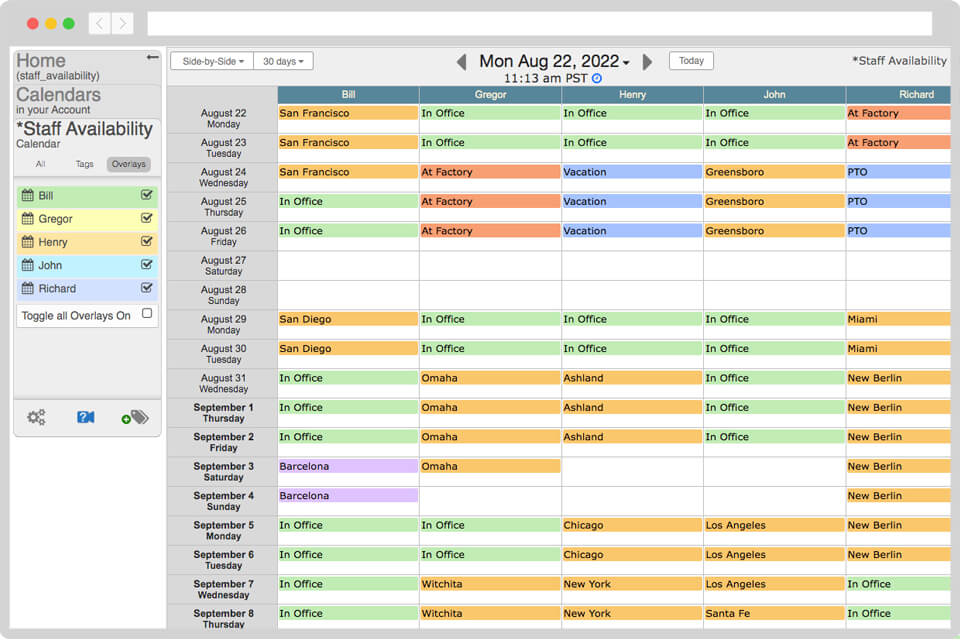
Assign tasks, jobs, or appointments to individual members of your team in their own private calendar. You can then combine multiple team member calendars into one master calendar to easily compare different schedules.
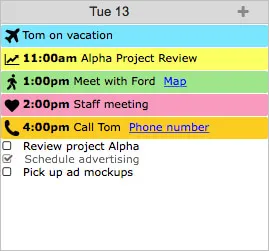
Our calendar has seamlessly integrated 5 included apps (Files, To Do Lists, Addresses, Photos, & Discussions) into your account to turn your calendar into a collaboration powerhouse. Never lose track of anything in your email again.
Everything is stored in the cloud so you can check your calendar on a desktop, or on the free mobile app. Our calendar scheduling software makes it easy to stay on track.
As long as it has an iCalendar feed, you can sync it with your Keep&Share calendar. This includes calendars like Google, Yahoo, Outlook, Apple, and more.
Combine your calendars across devices and platforms. It's as easy as pasting a URL!

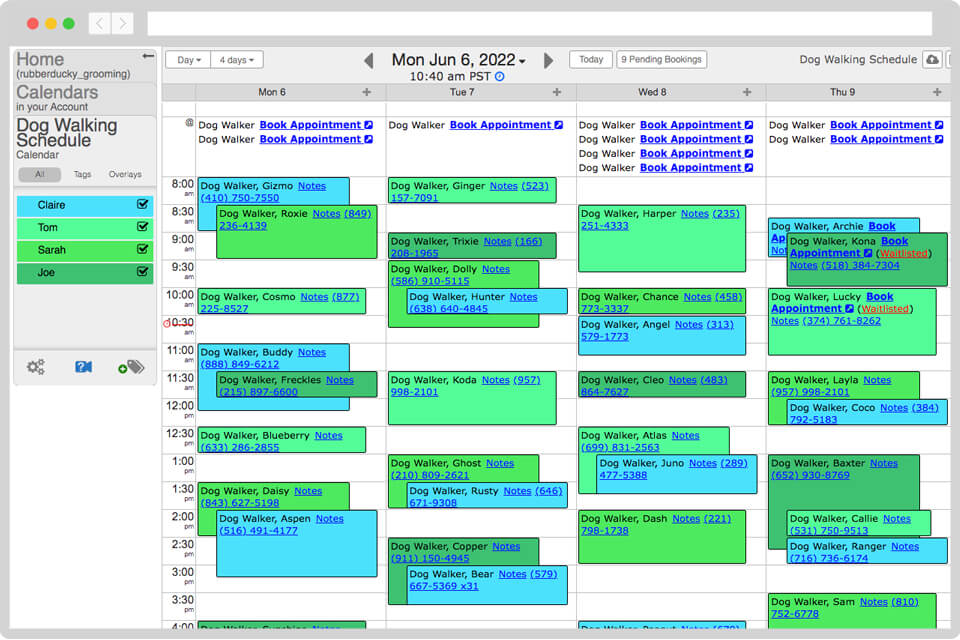
You can embed your calendar into any webpage so that visitors don't have to leave your site to see your calendar. Customize your calendar colors to match your website.

Amy Kelly
Owner, PicFlips Flipbooks
We LOVE Keep&Share! What a lifesaver it has been for our event business!
Our criteria included an easy-to-learn interface, mobile accessibility in case we are away from the office, the ability to add and take away users, the option of multiple calendar overlays, and excellent customer support. Keep&Share has exceeded our expectations!
